
Ask Me Anything - AI Chatbot
EVOLLY HKProductivity
3.8438.00 Reviews
- Version
- 2.0.2
- Installs
- 5.00M
- Age Rating
- Everyone
Screenshots
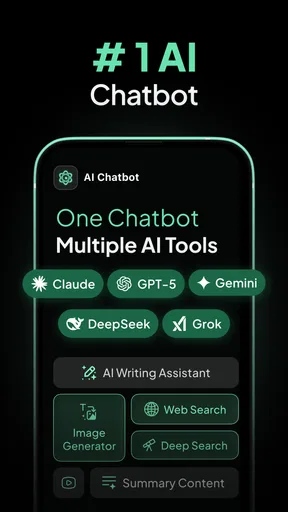
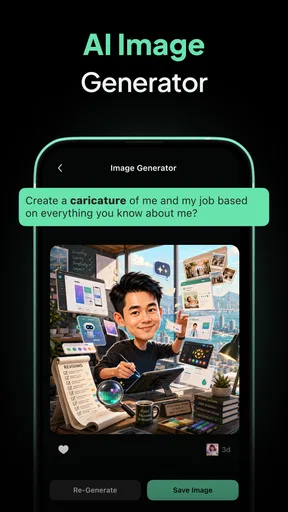
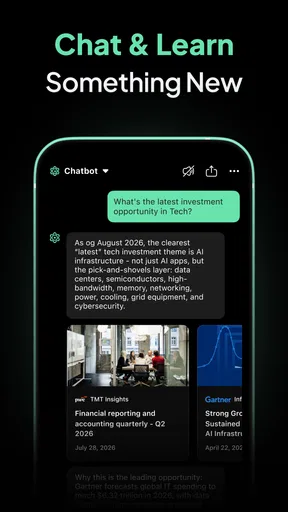
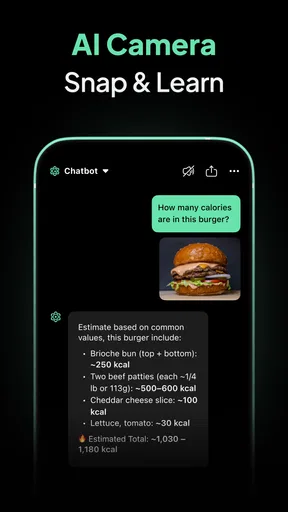
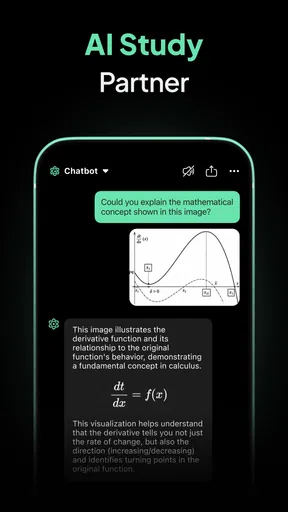
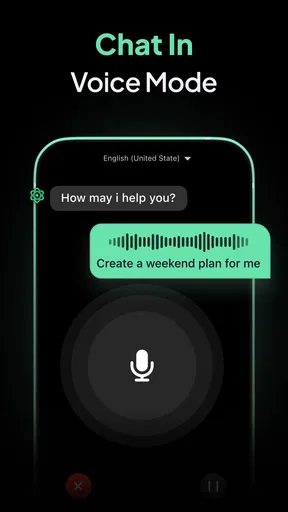
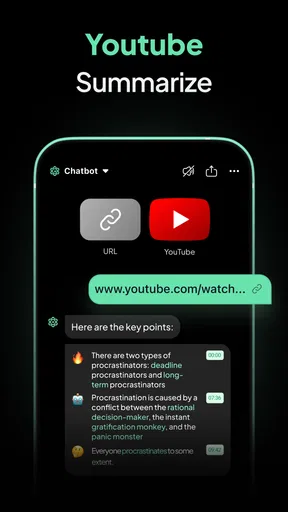
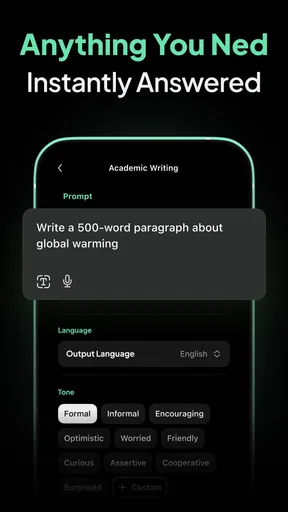
Our Review of Ask Me Anything - AI Chatbot
 Analysis by Appyee
I often reach for a chat assistant when I need to untangle a small question without turning it into a full research session. Ask Me Anything - AI Chatbot is designed for that kind of quick exchange: ask in plain language, read a response, and keep exploring with follow-ups. It can be useful for everyday curiosity, though I treat its answers as a starting point rather than automatic proof.
What the app offers today
Ask Me Anything - AI Chatbot is a free productivity app from EVOLLY HK. It has an average rating of 4.1 from around 21 thousand ratings, and more than five million installs. It is rated for Everyone, with a current version of 1.9.5 and Android support from version 6.0. The app also offers in-app purchases, with items ranging from $2.99 to $114.99, so “free” describes the entry point rather than every possible purchase.
The central appeal is simple: there is a chat interface for asking questions across different subjects. That makes it easier to begin than a traditional search when I am unsure what terms to use. Instead of guessing the right keywords, I can describe what I mean and then narrow the answer through a second question. For quick explanations, brainstorming, or a plain-language summary, that conversational format can save effort.
How I would use it in an ordinary day
Imagine I am planning a weeknight meal and have an ingredient I rarely use. I could ask for a few ways to prepare it, then follow up with a request for a simpler option or a short shopping list. The useful part is not that a chatbot replaces a recipe book; it is that I can steer the conversation as my needs become clearer. The same pattern works for asking what a familiar term means, getting a first-pass explanation of a school topic, or turning a vague idea into questions worth researching.
For better results, I would include the purpose and desired level of detail in the first prompt. “Explain this for a beginner in three steps” gives the assistant a clearer target than a broad request to explain a subject. If the response is too general, a follow-up can ask for an example or a simpler version. That small habit makes a chat assistant more useful without assuming that its first answer is complete.
Where it fits among other tools
Compared with a search engine, a conversational assistant is better at shaping an explanation around a follow-up, while search is usually the better route when I need to inspect original sources, compare current information, or verify a precise claim. A standard notes app is more dependable for keeping information I have checked and want to retrieve later. These tools serve different jobs: I would use a chatbot to explore an idea, then use trustworthy references to confirm anything that matters.
It can also be a handy companion to a study session, but I would not make it the authority on a test answer or a specialist subject. Asking it to explain a concept in a different way may help expose what I still do not understand. Asking it to do all the thinking, on the other hand, can leave me with an answer I cannot evaluate. The strongest use is interactive: let it help frame a question, then check the important details independently.
Getting to Know Ask Me Anything
First things first, let’s talk about what this app actually does. Ask Me Anything - AI Chatbot is like having a pocket-sized genius at your disposal. You type in any question, and it shoots back an answer faster than you can say "artificial intelligence." It’s available on both Android and iOS, so no worries about being left out if you're team Apple or Android.
Installation and Setup
Installing the app is a breeze. Just head over to the Play Store or App Store, hit download, and you’re good to go. The app doesn’t require a hefty chunk of your storage, which is great because who wants to delete another photo to make room?
User Interface and Experience
The first thing you'll notice is the clean and sleek design. It's intuitive, meaning you won't need a tutorial to find your way around. The chat interface is straightforward. Just type your question and hit send. The answers pop up almost instantly, which is super satisfying. It's like chatting with a knowledgeable friend who never gets tired of your questions.
Performance and Features
Performance-wise, the app is pretty solid. The responses are usually spot-on, thanks to the advanced AI powering it. It can handle a variety of topics, from science and history to pop culture and current events. And if it doesn’t know something, it’ll give you a humorous shrug rather than leaving you hanging.
One feature I really dig is the ability to ask follow-up questions without losing context. It remembers what you were talking about, so you don’t need to rephrase everything. This makes longer interactions feel more natural.
Privacy and Security
In the age of data privacy concerns, it's reassuring to know that the app doesn’t snoop on your personal data. The conversations are stored locally, and you can easily delete them whenever you want. Plus, there’s no need for sign-up or login, which is a massive plus for anyone who values their privacy.
Why You’ll Love It
If you're someone who loves learning on the go, this app is a dream come true. It’s perfect for students looking for quick study help, professionals needing fast facts, or just anyone with a curious mind. The app transforms those little moments of curiosity into opportunities for learning.
Another reason to love it? The app's developers keep rolling out updates, which means it's only getting better. New features and improvements pop up regularly, keeping the experience fresh and exciting.
Room for Improvement
No app is perfect, and Ask Me Anything is no exception. Sometimes the AI can get a bit confused with super complex questions or niche topics. But honestly, that’s to be expected. It’s not a replacement for a human expert but more of a handy tool to get quick insights.
Also, while the app is free, it does come with ads. They’re not overly intrusive, but if you’re someone who hates ads, it might get a bit annoying. Fingers crossed for an ad-free version in the future!
Making the conversation more useful
A practical way to get more from a chat is to treat it like a short interview rather than a one-shot search. I would start with the goal, ask for a concise answer, and then probe the part that remains unclear. For example, when comparing two everyday options, I would ask for the main differences and then ask which factors should decide between them. That sequence is more likely to produce a usable explanation than asking for a sweeping recommendation with no context.
There is a trade-off, though: follow-up context helps the conversation feel coherent, but it can also carry forward a mistaken assumption from an earlier reply. If an answer starts to drift, I would restate the facts that matter and ask the question afresh. For something involving health, money, safety, or legal consequences, I would not rely on a fluent response alone. The ease of asking should not be confused with the reliability of the answer.
Who is likely to get the most from it
I think this style of app suits people who want a low-friction place to explore questions, test an outline, or request a simpler explanation. It may be especially handy when the first question is awkward to phrase: a conversational exchange lets you refine it as you go. A student could use that to identify which part of a lesson needs more attention, while someone preparing a presentation might ask for possible angles before doing their own research.
I would skip it as a primary tool if my main need were citations, precise live information, or a dependable archive of research. A conventional search engine makes it easier to inspect where a claim came from; a dedicated reference source is better for established facts; and a notes app is better for organizing material I have already checked. If I needed a guaranteed expert judgment, I would go to a qualified person rather than expect a general-purpose chatbot to substitute for one.
What the version tells existing users
The current release is version 1.9.5, and the app first appeared on February 21, 2023. That establishes a modest but useful point of reference: this is an app with a release history, not a newly appearing concept. It does not, by itself, tell me which individual features changed between releases, so I would avoid assuming that a particular capability arrived in a recent update. Existing users can treat the version number as a way to identify their installed build, while judging any actual changes from what they see after updating.
For a returning user, the practical question is whether the current conversation experience still fits the way they work. If quick Q&A is the main attraction, the basic value remains easy to understand: ask, refine, and use the reply as a prompt for further thinking. I would still keep important answers in a separate place only after checking them. A chat history can make a thread convenient to revisit, but it is not a substitute for a carefully maintained set of verified notes.
Where I would be cautious
“Ask me anything” is an inviting idea, but no assistant can make every question equally suitable for a confident answer. Very narrow subjects, ambiguous wording, and questions that depend on changing circumstances are all reasons to slow down and verify. I also would not paste private details into a chat simply because the interface feels informal. Before using any AI service for sensitive material, I would review its current privacy information and decide whether the convenience is worth sharing that content.
There is also a difference between getting an answer quickly and getting a complete answer. A neat summary can omit an exception that matters, while a confident tone may make an uncertain response sound settled. My rule is to use the app for orientation and idea generation, then switch to sources that show their evidence when accuracy has consequences. That keeps the assistant useful without asking it to do a job better suited to a specialist or a primary reference.
Free access and the decision to pay
The app is free to start, while optional in-app items are priced from $2.99 to $114.99. I would not assume that a purchase is necessary for casual question-and-answer use, or that a particular item is worthwhile without checking what it offers inside the app. If I were considering spending money, I would first use the free experience for the kinds of questions I actually ask and see whether it fits my routine. A wide price range is a reason to read the purchase details carefully, not a reason to buy on impulse.
That matters because the best alternative may cost nothing too: a search engine, a public reference site, or a basic note-taking tool can be enough for many tasks. The assistant earns a place when its conversational back-and-forth saves me effort, not simply because it is labeled as AI. If I only need a one-time fact, searching and checking a reliable source may be quicker overall.
Final Thoughts
Overall, Ask Me Anything - AI Chatbot is a fantastic app for anyone with a thirst for knowledge. It's fast, easy to use, and makes learning fun. Whether you're settling a friendly debate or just feeding your curiosity, this app is a must-have. Give it a whirl; you might just find it becoming one of your most-used apps.
My recommendation is more specific: try it if you enjoy asking follow-up questions and want a convenient way to get an initial explanation or spark an idea. Keep a search engine or trusted reference close for verification, and choose a human expert when the stakes are high. That balance makes the app a useful pocket companion without expecting it to be an infallible answer machine.
Verdict
Strengths of Ask Me Anything - AI Chatbot
- Intuitive user interface for easy navigation.
- Quick response time for instant answers.
- Customizable settings for personalized use.
- Wide range of topics covered in chats.
- Minimal ads for a smooth experience.
Limitations of Ask Me Anything - AI Chatbot
- Limited offline functionality.
- Occasional repetitive responses.
- Requires constant internet connection.
- Some features locked behind paywall.
- In-app purchases can be costly.
Similar Picks in This Category
View All
Google Calendar
Google LLC4.6

Google Drive
Google LLC4.3

Google Assistant
Google LLC3.9

Microsoft OneDrive
Microsoft Corporation4.6

Samsung Calendar
Samsung Electronics Co., Ltd.4.1

Microsoft OneNote: Save Notes
Microsoft Corporation4.6
Frequently Asked Questions
What platforms is the Ask Me Anything - AI Chatbot available on?
The Ask Me Anything - AI Chatbot is available on both Android and iOS platforms. Users can download it from the Google Play Store for Android devices and the Apple App Store for iOS devices. Ensure your device meets the minimum system requirements for optimal performance.
Is an internet connection required to use the Ask Me Anything - AI Chatbot?
Yes, an active internet connection is required to use the Ask Me Anything - AI Chatbot. The app relies on cloud-based AI services to process queries and provide responses, ensuring up-to-date and accurate information for users at all times.
How does the Ask Me Anything - AI Chatbot ensure user privacy?
The Ask Me Anything - AI Chatbot takes user privacy seriously by implementing robust data encryption protocols. It does not store personal data on local devices, and user interactions are anonymized. Always review the app's privacy policy for detailed information about data handling practices.
What are the main features of the Ask Me Anything - AI Chatbot?
The main features include a natural language processing interface, instant responses to a wide range of questions, and the ability to learn from interactions for improved accuracy. It also offers personalized recommendations and can integrate with other apps for enhanced functionality.
Are there any in-app purchases or subscriptions required in the Ask Me Anything - AI Chatbot?
While the Ask Me Anything - AI Chatbot offers a free version, there may be premium features or content available through in-app purchases or subscription plans. These options typically enhance the user experience with additional functionalities or ad-free usage. Check the app details for specific pricing information.
